 Trenscope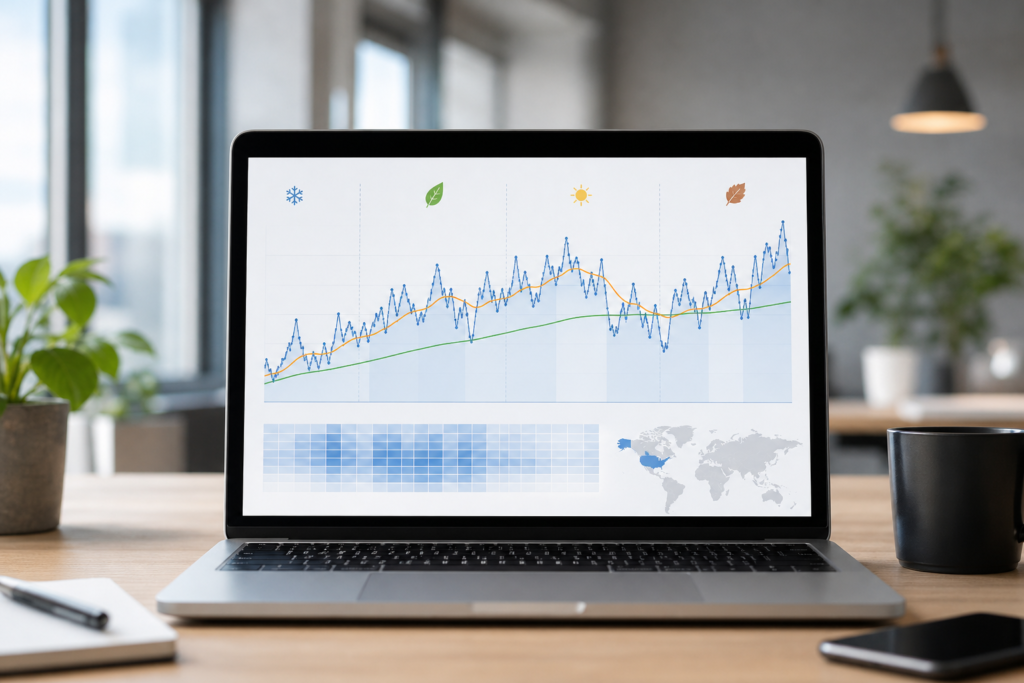
Seasonal demand can make website traffic charts harder to interpret than they first appear. A holiday period, back-to-school rush, summer slowdown, industry event, or end-of-year buying cycle can push traffic up or down without any major change in your SEO, content quality, or marketing execution.
That is why seasonal context matters when you review website performance. If you react too quickly to a rise, you may overestimate the impact of a campaign. If you react too quickly to a decline, you may spend time fixing a problem that is mostly calendar-related.
This article explains how seasonality affects website analytics, how to read seasonal patterns alongside 20-day and 200-day moving averages, and what to check inside GA4 before drawing conclusions.
What seasonality means in website analytics
Seasonality is a recurring pattern in traffic that is influenced by timing rather than by a single isolated event. Some websites experience obvious seasonal shifts, while others are affected more subtly through weekdays, weekends, monthly cycles, or specific commercial periods.
Examples of seasonal influences include:
- Retail traffic rising before major shopping periods
- Travel websites peaking before holiday seasons
- B2B websites slowing during public holidays or vacation months
- Education websites gaining traffic around school terms or exam periods
- Content sites receiving regular weekly traffic swings between weekdays and weekends
These patterns do not automatically indicate improvement or decline. They describe how audience behavior changes over time.
Why daily traffic is easy to misread
Daily traffic is useful, but it is noisy. One strong day can be caused by a newsletter, a social mention, or a temporary search spike. One weak day can reflect a holiday, a tracking issue, or simply normal variation.
When seasonality is present, daily numbers become even harder to interpret. A traffic drop during a well-known slow period may be expected. A traffic jump during a high-demand season may be normal rather than exceptional.
This is where moving averages help. They smooth out short-term fluctuations so you can focus on direction rather than isolated days.
How to use 20-day and 200-day moving averages during seasonal periods
A 20-day moving average helps you understand the recent direction of traffic. A 200-day moving average gives a broader baseline for the long-term trend. Looking at both together is often more useful than reacting to raw daily traffic alone.
What a rising 20-day average may show
If the 20-day average starts rising during a seasonal peak, it shows that recent traffic is improving. That is a useful observation, but it does not prove that your website has entered a permanent growth phase. The increase may be partly seasonal.
What to check next:
- Which channels are driving the increase
- Whether the same period was usually strong in past months
- Whether key landing pages related to the season are performing better
- Whether engagement or conversions also improved
What a falling 20-day average may show
If the 20-day average turns down, recent traffic is weakening. During an off-season period, that may be normal. During a normally strong period, it may deserve more investigation.
What to check next:
- Whether the decline affects all channels or only one
- Whether paid campaigns stopped or budgets changed
- Whether search visibility dropped for important seasonal pages
- Whether consent, tagging, or site changes affected measurement
What the 200-day average adds
The 200-day average gives important context. A short-term dip inside a rising 200-day trend may be a pullback rather than a major reversal. A short-term rise inside a falling 200-day trend may be a temporary recovery rather than sustained growth.
This is similar to technical-analysis thinking, but it should be used carefully. Website traffic is not a traded price. The value of the analogy is that it helps describe trend structure, not that it predicts future performance.
How seasonality can affect moving-average crossovers
When the 20-day average crosses above the 200-day average, it may suggest strengthening recent traffic relative to the long-term baseline. When it crosses below, it may suggest weakening recent traffic.
However, seasonal traffic can create crossovers that are descriptive but temporary. For example, a website entering its busiest annual period may produce an upward crossover simply because demand is seasonally strong. That does not automatically mean your long-term growth strategy has improved. The same is true in reverse during predictable slow periods.
Treat a crossover as a reason to investigate, not as automatic proof that a strategy worked or failed.
A practical GA4 checklist for seasonal traffic analysis
If you think seasonality may be influencing your results, open GA4 and review the evidence step by step.
- Check which traffic sources changed. Look at organic search, direct, referral, paid, and social separately.
- Review landing pages. Identify whether the increase or decline is concentrated on seasonal content, product categories, or campaign pages.
- Look at geography if relevant. Regional holidays or local events can affect traffic patterns differently across countries.
- Check engagement metrics. If traffic rises but engagement weakens, the increase may be less valuable than it first appears.
- Review conversions or key events where available. More traffic does not automatically mean better business performance.
- Confirm whether campaigns, publishing schedules, or promotions changed during the same period.
- Check for tracking or consent changes before assuming a true audience shift.
What seasonal traffic patterns might mean in practice
Imagine a content publisher that covers tax planning. Traffic rises sharply in the weeks before filing deadlines. The 20-day moving average climbs quickly and may even move above the 200-day average. That could indicate stronger recent performance, but the business should still ask whether the increase came from expected seasonal demand, improved rankings, better content, or all three together.
Now imagine an online store that usually slows after a major holiday shopping period. If traffic falls below the 20-day average and the 20-day trend starts turning down, that may not be a sign of failure. It may reflect the normal post-season drop. The right response is not panic, but investigation.
Common mistakes when reading seasonal traffic trends
- Assuming every traffic increase reflects successful SEO or marketing
- Assuming every decline means something is broken
- Reading one crossover as a final verdict on performance
- Ignoring weekday effects, holidays, and annual demand cycles
- Looking only at total traffic instead of channels and landing pages
- Confusing traffic growth with revenue growth without checking conversions
The goal is not to remove uncertainty completely. The goal is to reduce guesswork and make better decisions using context.
What actions seasonal analysis can support
Once you understand whether a change is seasonal, trend-related, or both, you can respond more intelligently.
- Prepare content earlier for predictable high-demand periods
- Adjust marketing budgets around known strong and weak seasons
- Improve important landing pages before expected demand returns
- Separate short-term seasonal lifts from longer-term growth trends
- Use slower periods to audit tracking, content quality, and technical SEO
This approach helps businesses avoid overreacting to short-term movement while still taking genuine changes seriously.
How Trenscope Can Help You Grow Your Website and Improve Profitability
Trenscope is a website traffic monitoring and analytics platform that helps website owners understand performance using Google Analytics 4 data. It is especially useful when traffic is affected by noisy daily fluctuations or recurring seasonal patterns.
Instead of looking only at raw daily visits, Trenscope visualizes actual traffic with a black line, a 20-day moving average with a green line, and a 200-day moving average with a red line. Moving averages are mathematical tools widely used in stock market technical analysis to study trend direction over time. Trenscope adapts that same general idea for website traffic so users can see whether recent movement is strengthening, weakening, or simply fluctuating around a broader baseline.
For seasonal analysis, this can be practical. A business owner may notice that daily traffic is falling after a peak period, but the longer-term 200-day average may still be rising. That combination can suggest a short-term slowdown inside a broader growth trend, which supports investigation rather than rushed decision-making. A marketer managing several websites can also use Trenscope to monitor which sites are improving and which ones may need closer GA4 review.
Better traffic interpretation can support profitability by helping businesses allocate budgets more carefully, spot developing problems earlier, identify stronger content opportunities, and reduce guesswork. Higher traffic alone does not guarantee higher profit, but understanding traffic quality and trend direction can help you connect marketing activity with more informed business decisions.
If you want a simpler way to monitor multiple websites and study traffic trends through 20-day and 200-day moving averages, explore Trenscope.
https://trenscope-web-analytics.com/